
Audio/Video and Live Transcription Model Configuration
WiseMindAI provides two types of speech recognition:
- Audio/Video Transcription: Processes existing audio or video files to generate subtitles, summaries, and highlights.
- Live Transcription: Processes continuous microphone input to create real-time transcripts for meetings, classes, and interviews.
These capabilities appear separately under Settings → Model Settings. Online providers may require separate activation for file transcription and real-time speech recognition, while a local FunASR model can be shared between both entry points.
Any fees incurred by an online service key are charged by the corresponding model provider, not WiseMindAI.
Audio/Video Transcription models
| Provider | Application | Notes |
|---|---|---|
| Local Whisper | No application required | Download a local Whisper model for offline processing |
| FunASR | No application required | Local audio transcription that shares its model with Live Transcription |
| Zhipu AI | Get API Key | Online audio/video transcription |
| Alibaba Cloud Bailian | Get API Key | Transcribes files with Bailian audio/video models |
| Xiaomi MiMo | Get API Key | Supports MiMo audio recognition models |
| StepFun | Get API Key | Online audio transcription |
| Volcengine | Open Console | Activate speech recognition as instructed in the console |
Select this type of service under Audio Models when generating video subtitles or transcribing an imported recording. See Video Learning for the complete video workflow.
Live Transcription models
| Provider | Application | Main settings |
|---|---|---|
| FunASR | No application required | Download or import a local model; no API key required |
| Alibaba Cloud Bailian | Get API Key | API Key, Workspace ID, region, and model name |
| Volcengine | Open Console | API Key, Resource ID, and endpoint |
| iFlytek | Activate Real-Time Transcription | App ID, AccessKey ID, and AccessKey Secret |
| Baidu AI Cloud | Open Speech Recognition Console | App ID, API Key, Secret Key, and recognition model |
| Tencent Cloud | Get Cloud API Key | App ID, Secret ID, Secret Key, and engine model |
Available providers may vary by version. Refer to the Live Transcription model list in the client.
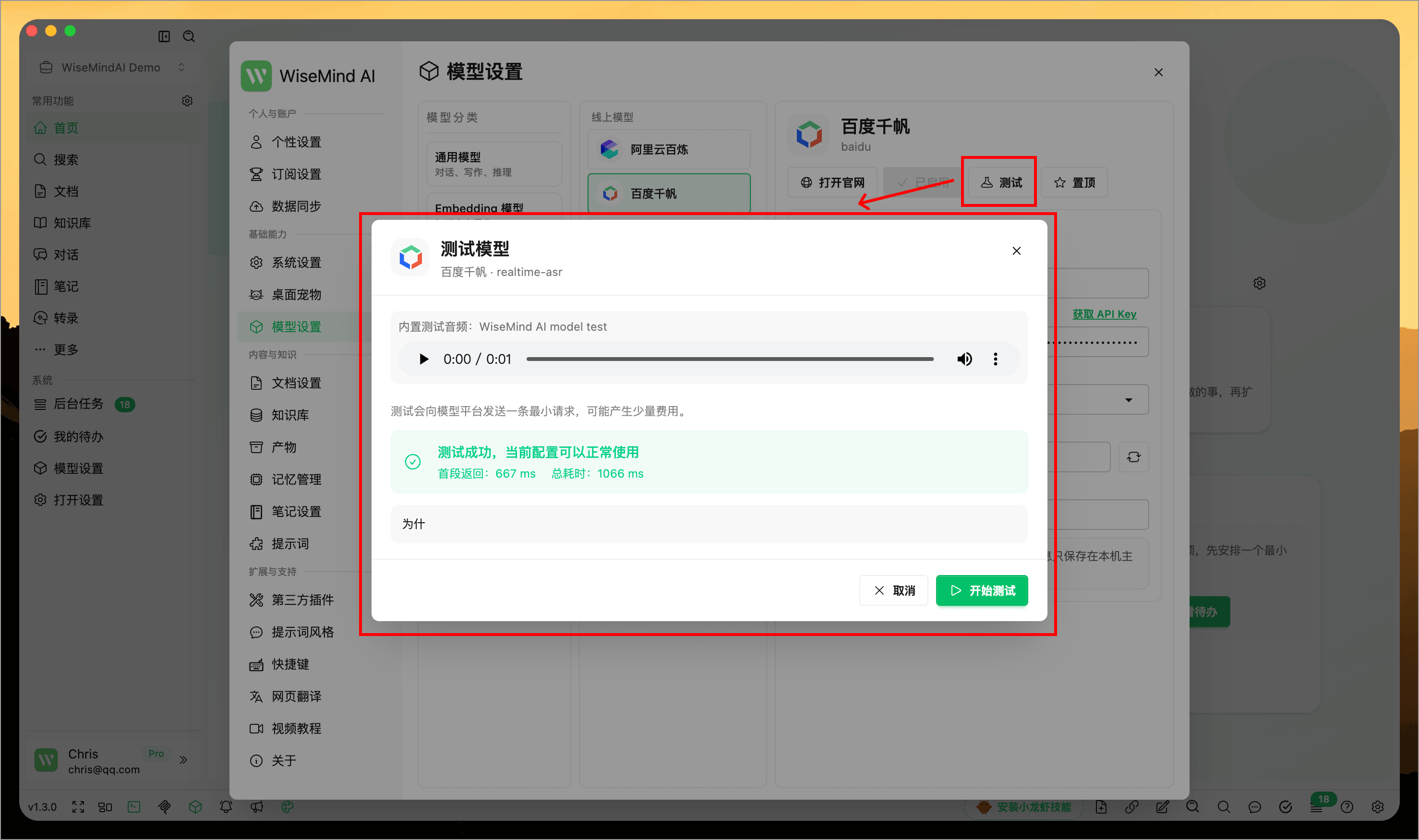
After configuration, select Test on the model card. The test plays a short built-in audio sample and displays the recognized text, time to first segment, and total duration. It does not create a production transcription record.
Local FunASR transcription
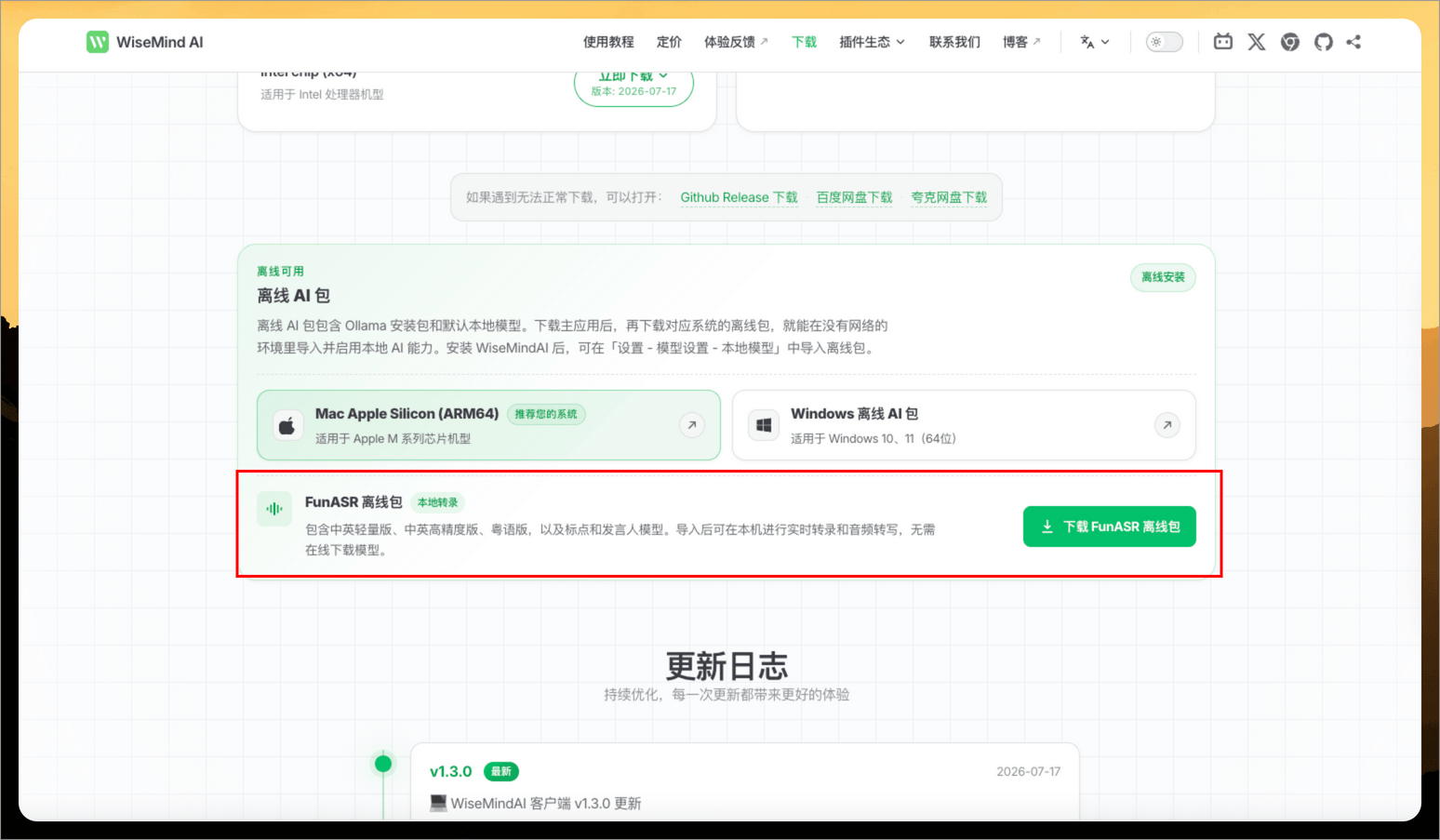
FunASR is designed for users who want to keep recordings on their computer, continue transcribing offline, or avoid cloud transcription fees. Three versions are available: Lightweight Chinese-English, High-Accuracy Chinese-English, and Cantonese.
You can download a model directly in WiseMindAI, or import a prepared offline package or extracted model folder. Before import, WiseMindAI checks file integrity, model type, and available storage.
See Live Transcription for the complete workflow.
Configuration recommendations
- Activate the correct product in the provider console and confirm that your account has available quota.
- Enter credentials according to the WiseMindAI form. Do not use parameters from a standard speech recognition product for Live Transcription.
- Save and use Test before starting a long recording or processing a large file.
- Live Transcription also requires a separate microphone test. A successful model test does not mean the operating system has granted recording permission.
- Supported languages, file sizes, per-session duration, and pricing vary by provider. Review the provider documentation before production use.
FAQ
Why can I transcribe an audio file but not a live recording?
With an online provider, file and live transcription may be separate products. Configure and test the service again under Live Transcription. With FunASR, make sure the local model is ready and select FunASR in both entry points.
Why does the Live Transcription test say I do not have permission?
The account may have a key but not the corresponding real-time speech recognition product, or the model, region, or Resource ID may not match the activated service.
Can local Whisper be used for Live Transcription?
Local Whisper is currently intended for existing audio and video files. For local live recording, use FunASR.
Does online transcription cost money?
Most online providers charge by audio duration or request volume. Pricing and free quotas are determined by the provider; WiseMindAI does not add any model usage fee. FunASR runs on the current computer and does not incur cloud transcription fees.